
How to Design iPhone Apps
14 July, 2025
How to Build a Custom-Coded Website
14 July, 2025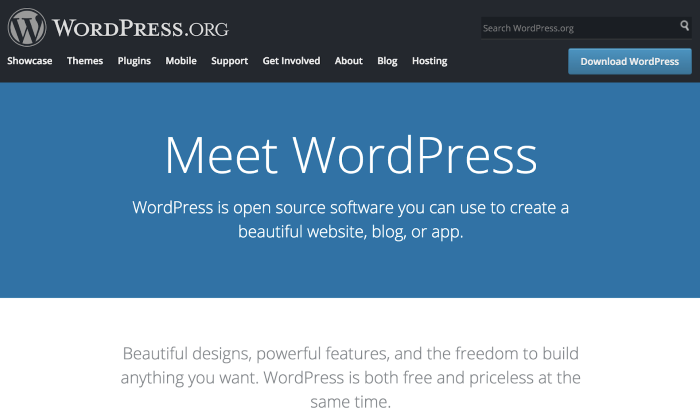
يُعد WordPress One of the world’s most popular content management systems, powering more than 40% of websites. It’s easy to use, highly customizable, and offers thousands of free and paid themes and plugins. In this article, we’ll walk you through how to design a professional WordPress website from start to finish.
🛠️ What You Need Before Getting Started
Before starting the design process, you need:
- A domain name: مثل example.com.
- Web hosting: It’s best to use hosting that supports
WordPress, such as Bluehost, Hostinger, or SiteGround.
- WordPress content management system: You can easily install it from your hosting control panel.
📌 Steps to Design a WordPress Website
1. Install WordPress
After purchasing your domain and hosting, you can automatically install WordPress through the control panel
Control (cPanel) using toolsمثل Softaculous.
You’ll need to specify the website name and the login details for the control panel.
2. Choose a suitable theme
The theme determines the look and design of your website. You can choose a free theme from
لوحة التحكم > المظهر > القوالب،
or purchase a premium theme from sites like ThemeForest.
When choosing a theme, make sure it is:
- Responsive across all devices.
-سريع التحميل.
- Customizable.
- Compatible with SEO plugins.
3. Install Essential Plugins
Plugins help you extend your website’s functionality without writing code. Essential plugins include:
-Elementor أو WPBakery (for page design)
-Yoast SEO (for search engine optimization).
-WPForms (for contact forms).
-Wordfence (for website security).
-LiteSpeed Cache أو W3 Total Cache (to speed up the website).
4. Set Up the Essential Pages
Start by creating the essential pages every website needs, such as:
- Home page.
-من نحن.
- Services or products.
-تواصل معنا.
- Privacy policy.
You can use drag-and-drop design tools such as
Elementor to easily format your pages.
5. Customize the Interface and Logo
اذهب إلى المظهر > تخصيص، حيث يمكنك:
- Upload the website logo.
- Choose font and background colors.
- Customize the header and footer.
- Set up the main navigation menu.
6. Configure General Settings
I الإعدادات > عام، تأكد من:
- Enter the site title and description.
- Set the time zone.
-اختيار هيكل الروابط الدائمة من الإعدادات > روابط دائمة (اختيار “اسم المقالة” الأفضل للسيو).
7. Optimize Your Site for Search Engines (SEO)
Focus on the following to improve your site’s visibility on Google:
-Write high-quality content.
-Use SEO plugins such as Yoast or Rank Math.
-Connect your website to Google Search Console and Google Analytics.
-Compress images and improve site speed.
8. Secure your website
To secure your WordPress website:
-Enable an SSL certificate (HTTPS).
-Install a security plugin such as Wordfence or iThemes Security.
-Change the default login URL.
-Keep themes and plugins up to date.
9. Test and launch the website
Before launching the website to the public:
– جربه على الجوال والكمبيوتر.
– تأكد من أن كل الروابط تعمل.
- Test the website’s speed.
- Make sure the website looks good in all browsers.
After checking everything, share your website on social media or launch marketing campaigns.
💡 Tips for Designing a Professional WordPress Website
– لا تكثر من الإضافات حتى لا يبطئ الموقع.
– اختر استضافة قوية لتحسين الأداء.
– احرص على تصميم متناسق وسهل التصفح.
– راعِ تجربة المستخدم وسرعة التصفح.
💼 WordPress Website Design with Ebtdi Company
If you want a professional website without the technical complexity, Start Company we offer custom WordPress website design services at affordable prices and with high quality. Our dedicated team takes care of every detail, from design to marketing.
Contact us now and start building your digital presence with confidence and professionalism.
🏁 خاتمة
Designing a WordPress website doesn’t require extensive experience when you follow the right steps and use the right tools. Whether you run a startup or a large enterprise, WordPress gives you the flexibility to create a professional website that reflects your brand.