
Our approach to creating a one-of-a-kind website design
30 November، 2021
What’s the most important thing when creating a high-quality website? 🔎
1 December، 2021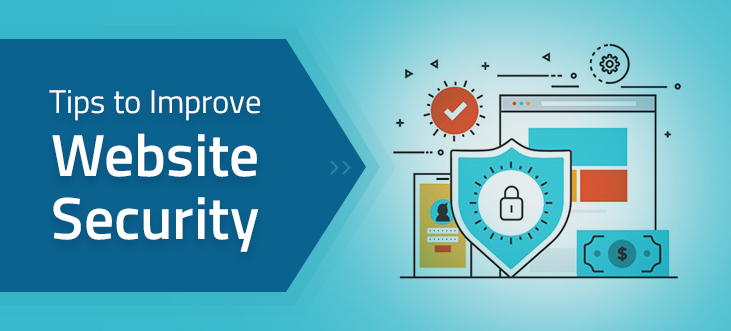
[lwptoc skipHeadingLevel=”h3″]
Improve WordPress Security | With media coverage of the growing number of cyberattacks on government websites
and large multinational websites, you already know that websites can be hacked. However, in most cases, this is not due
to a problem with WordPress itself, but simply because website owners don’t know how to improve their site’s WordPress security.
A comprehensive approach to hardening your WordPress website’s security will go a long way toward protecting it from hackers. So,
let’s look at some essential steps you can take that are relatively quick and easy to implement on your website.
Common Security Mistakes in WordPress
Not using strong passwords
Everyone knows we should use strong passwords, but many of us tend to forget this. Instead,
نستخدم كلمات we use very weak passwords that are easy for us to remember but easy for hackers’ bots to guess. These bots are designed
لأداء هجمات القوة الغاشمة to cycle through hundreds of combinations every minute, eventually finding weak passwords. The unexpected result
These attacks slow down your server and can take your website offline.
الحل ليس فقط الحصول على كلمة مرور قوية يمكن إنشاؤها من خلال الانتقال إلى منطقة المسؤول الخاصة بك ضمن المستخدمون>
Profile, but also to install a security plugin, such as Defender. This plugin prevents brute-force attacks.
By blocking IP addresses after a set number of failed login attempts, and by installing a firewall and enabling two-factor authentication. You can also
learn how to improve WordPress security with strong passwords—one of the best steps you can take to secure your website.
You may also be interested in:WordPress Design with the Latest Technologies
Failing to update plugins and themes
If you use a WordPress theme rather than a custom design created by a developer, it should be updated regularly, as should any plugins you’ve
installed. However, themes and plugins can become an easy entry point for hackers, especially if they haven’t been updated with the latest security code.
The solution is to update your theme and plugins regularly to avoid WordPress plugin vulnerabilities
as updates become available. You’ll see these notifications in your admin area, and you can install the updates yourself or assign them to your WordPress
To automate them. There are also a number of WordPress security plugins that may be useful for website administrators to install
to stay on top of your security management.
Choosing an untrustworthy hosting provider
يمكن لمقدمي Hosting make a big difference to your website’s security. One way to do this is to make sure the PHP version
used by your hosting account is up to date. PHP is the programming language used by WordPress, and it is updated regularly to fix
security vulnerabilities, improve performance, and add more features.
An account usually needs Hosting Your website needs to be updated manually over time to keep using the latest version of PHP, so it can
easily become outdated without you realizing it. If it’s outdated, it’s more vulnerable to hackers.
The solution is to check which version of PHP your website is using and update it in the admin area if necessary. It’s a good idea to
also review your hosting plan to make sure you have access to the latest version of PHP and that the provider offers local technical support.
You may also be interested in: Why is WordPress the best choice for blogs...?
Failing to restrict user access
Another important point on our list of ways to improve WordPress security concerns the level of access you give users. If you automatically
give everyone in your office administrator-level access, they can make any changes they want to your website. They can
This may include changing the accounts linked to payment gateways to take your website offline, or creating fake accounts for themselves so they can regain
access, even if you revoke theirs!
The solution is to grant administrative access only to people in the organization who need it, ensure that everyone who accesses the website has
their own login credentials, and disable user accounts when employees leave the company.
WordPress isn’t being updated
ينشر WordPress Regularly release core updates designed to address specific issues created by hackers. These updates include code to prevent
cybercriminals from accessing your website. There is nothing wrong with WordPress code; hackers simply develop ways
to bypass this code. That’s why WordPress is always looking for these issues and releasing frequent updates to address them. So
if you haven’t updated WordPress in a few years, your site may be wide open to hackers.
The solution is to make sure WordPress is updated as soon as updates become available. A good hosting provider will automatically update WordPress for your site,
but you can also do it yourself from your admin dashboard. Statistics show that only one-third of websites use the latest version
of WordPress, which means that two-thirds of websites are potentially vulnerable to hackers. If your provider has already updated
WordPress for your site, you can remove this from your own list of ways to improve WordPress security.
Not using an SSL certificate
If you’re not using شهادة SSL on your website (which protects data sent to and from your site), you may have
noticed a drop in your search engine rankings, because Google in particular wants everyone to install it on their websites.
That’s because SSL makes it harder for hackers to access your site by encrypting the connection
between the hosting provider’s server and the client’s browser. This gives customers confidence that your site is secure—and Google rewards that trust.
الحل السهل هو أن تطلب من مزود الاستضافة إضافة SSL إلى موقع الويب الخاص بك. بناءً على احتياجاتك ، يمكنك تثبيت SSL
(We offer it here at Ibtdi), as well as multi-domain SSL. Once you add this to your website and takethe necessary steps to switch over, your
website address will begin with HTTPS instead of HTTP, showing customers that their connection is now secure.
In fact, most browsers now display a warning when a website is insecure, which means installing SSL
is absolutely essential.
You may also be interested in:What Is an SSL Certificate, and Why Does Your Website Need One?
Not using a custom login URL
The vast majority of website owners continue to use the default login page that comes free with WordPress,
والموجودة في “/ wp-admin” في نهاية عنوان موقع الويب الخاص بك. يعرف المتسللون أن هذا هو العنوان الافتراضي ، لذلك لديهم
part of the path to your login details. If you have a weak username and/or password, this makes it
even easier for them.
الحل هو تغيير عنوان URL لصفحة تسجيل الدخول إلى عنوان فريد ، مثل “/ site-login”. هذا يجعل الأمر أكثر صعوبة على المتسللين
even to find your login page, let alone guess your login details and passwords. If
you install the WP Defender plugin mentioned above, or a similar one, you can create a custom login page.
Your developer can also do this with custom code.
If other security measures are in place to protect the login page, this step isn’t strictly necessary, but it’s definitely worth considering.
تلخيص لما سبق
Knowing how to address WordPress security issues is essential to protecting your site from cybercriminals.
If you need help improving your small business website’s security or simply want to learn about best practices for
WordPress security, contact our team at Start Today!